Skip to content

The Complete Guide to Saving, Organizing, and Managing WhatsApp Status Videos
WhatsApp Status has become one of the most popular ways to share everyday moments. From funny clips and family memories to motivational videos, travel highlights, product launches, and business promotions, people post thousands of video updates every minute.
These short videos often contain valuable information that many users want to keep. You may come across a recipe you want to try, a fitness tip worth following, a product recommendation, an educational tutorial, or a memorable family moment. Unfortunately, every WhatsApp Status video automatically disappears after 24 hours.
This creates a common problem.
You find an interesting video today, but by tomorrow it’s gone.
Many users only realize they wanted to save it after it has already expired.
That’s why searches like “How to Save WhatsApp Status Videos,” “WhatsApp Status Saver,” and “Best Status Saver App” continue to grow worldwide.
If you’ve ever wondered how to save WhatsApp Status videos safely and efficiently, this guide is for you.
We’ll explain the different methods available, discuss their advantages and limitations, and show why using a dedicated app like StatusCraft is one of the smartest ways to organize your favorite Status videos while improving your daily productivity.
Table of Contents
What Are WhatsApp Status Videos?
WhatsApp Status is a feature that allows users to share photos, videos, text updates, GIFs, and voice notes with their contacts.
Unlike regular messages, Status updates are temporary.
Every video shared through WhatsApp Status remains visible for 24 hours before disappearing automatically.
People use Status videos to share:
- Personal memories
- Family celebrations
- Birthday wishes
- Travel experiences
- Product launches
- Business promotions
- Motivational messages
- Educational tips
- Sports highlights
- Funny moments
- Festival greetings
- Daily life updates
Because these videos disappear so quickly, many users look for reliable ways to save them for future viewing.
Why People Want to Save WhatsApp Status Videos
Every day, millions of Android users watch dozens of Status videos.
Some are entertaining.
Some are educational.
Others contain information that users genuinely need later.
Here are the most common reasons people save WhatsApp Status videos.
Preserve Important Memories
Friends and family often share meaningful moments through WhatsApp Status.
These could include:
- Wedding celebrations
- Birthday parties
- Graduation ceremonies
- Baby announcements
- Vacation memories
- Family gatherings
Saving these videos helps preserve memories that might otherwise disappear forever.
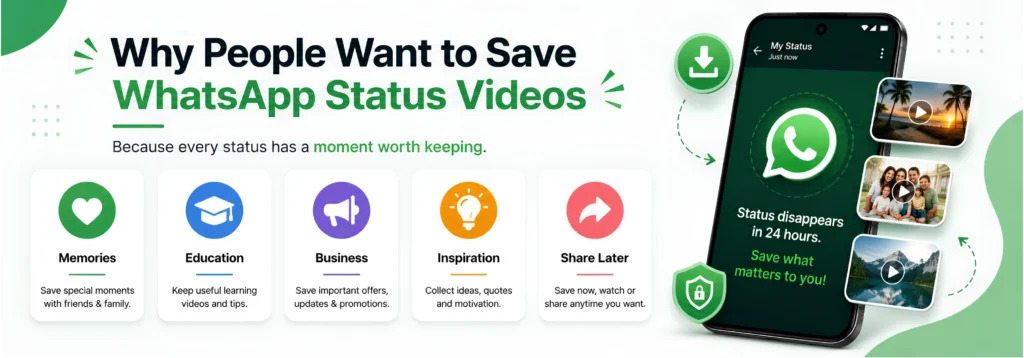
Keep Educational Content
Many teachers, trainers, and professionals now use WhatsApp Status to share:
- Study tips
- Language lessons
- Career advice
- Business strategies
- Productivity hacks
- Technology updates
Instead of trying to remember everything, users prefer saving useful videos for future reference.
Save Business Promotions
Businesses increasingly use WhatsApp Status for marketing.
They regularly post:
- Product launches
- Flash sales
- Discount offers
- Event announcements
- Service updates
- Customer success stories
Saving these videos allows customers to revisit important information whenever needed.
Collect Creative Inspiration
Content creators constantly search for fresh ideas.
A single Status video may inspire:
- A YouTube Short
- An Instagram Reel
- A Facebook Story
- A marketing campaign
- A presentation
- A social media design
Rather than losing great ideas after one day, creators often build their own inspiration library.
Share Content Later
Sometimes you discover a useful video but don’t have time to watch it immediately.
Saving it means you can return later when it’s more convenient.
This is especially useful for:
- Tutorials
- Educational content
- Business presentations
- Product reviews
- Event highlights
Why WhatsApp Status Videos Disappear After 24 Hours
One of WhatsApp’s defining features is the temporary nature of Status updates.
The platform is designed to encourage real-time sharing rather than permanent storage.
This has several benefits.
Status updates remain:
- Fresh
- Relevant
- Timely
- Less cluttered
However, this temporary approach also creates challenges.
Users frequently lose access to:
- Important announcements
- Business promotions
- Useful tutorials
- Inspirational videos
- Personal memories
If a Status isn’t saved before it expires, it may never be available again.
This is one of the biggest reasons why dedicated Status Saver apps have become increasingly popular among Android users worldwide.
Different Ways to Save WhatsApp Status Videos
There are several methods people use to keep WhatsApp Status videos.
Each method has its advantages and limitations.
Let’s compare them.
Method 1: Ask the Original Sender
The simplest option is to request the video directly from the person who posted it.
Advantages
- Original quality
- Respectful approach
- No additional tools required
Limitations
- Not always practical
- Sender may no longer have the video
- Takes extra time
- Not suitable for business pages or community update
Method 2: Use Screen Recording
Many Android devices include a built-in screen recorder.
Some users record the Status while it plays.
Advantages
- No extra app required
- Works on many devices
Limitations
- Lower video quality
- Notifications may appear
- Playback controls may be visible
- Larger file sizes
- Requires manual editing afterward
For users who frequently save videos, this quickly becomes inconvenient.
Method 3: Browse Hidden Media Folders
Some experienced Android users manually access WhatsApp’s media folders through a file manager to locate cached Status files before they expire.
Advantages
- No screen recording
- Original media files (when available)
Limitations
- Not beginner-friendly
- Folder locations can change between Android versions
- Easy to accidentally delete files
- Time-consuming
- Doesn’t help organize saved content
Most everyday users find this method unnecessarily complicated.
Method 4: Use a Dedicated WhatsApp Status Saver
The most efficient solution is using a dedicated WhatsApp Status Saver designed specifically to help users manage and organize Status media.
Instead of relying on manual methods, users get a smoother experience with organized collections and productivity-focused features.
Apps like StatusCraft go beyond basic saving by helping users manage, organize, and even create content from the media they save.
Why Traditional Methods Aren’t Always the Best Choice
Although manual methods may work occasionally, they often create new problems.
Screen Recording Creates Extra Work
Recording videos manually usually requires trimming, editing, and organizing afterward.
File Managers Can Be Confusing
Many users aren’t comfortable navigating hidden Android folders or dealing with temporary cached files.
Content Becomes Difficult to Find
Without proper organization, saved videos quickly become scattered across different folders, making them harder to locate later.
Multiple Apps Slow Down Your Workflow
Many people end up using:
- A screen recorder
- A video editor
- A file manager
- A bookmark app
- A notes app
Switching between several apps wastes time and creates unnecessary complexity.
This is why modern users increasingly prefer all-in-one productivity solutions that simplify the entire process.
Why an All-in-One Solution Makes More Sense
Today’s Android users expect more than a simple download tool.
They want an app that helps them:
- Save valuable Status videos
- Organize media efficiently
- Create engaging content
- Store useful links
- Manage creative ideas
- Improve productivity
This is exactly where StatusCraft stands out.
Rather than focusing on just one task, it combines WhatsApp Status Saver, Story Maker, Post Maker, Quote Maker, Link Organizer, and Bookmark Manager into a single, easy-to-use application.
Instead of installing multiple apps for different tasks, users can manage everything from one place, saving time while keeping their digital content organized.
Best Way to Save WhatsApp Status Videos
If you regularly watch WhatsApp Status updates, you’ve probably come across videos you’d like to keep. Whether it’s a family memory, a motivational clip, a business promotion, or an educational tip, waiting too long means the video disappears after 24 hours.
While there are several ways to save WhatsApp Status videos, not every method offers the same level of convenience, organization, or reliability.
Let’s explore the most practical solution.
Why Use a Dedicated WhatsApp Status Saver?
Many users start with manual methods like screen recording or browsing hidden folders, but these approaches become frustrating over time.
A dedicated WhatsApp Status Saver simplifies the entire process by helping you manage your favorite videos in one place.
Instead of searching through file directories or editing screen recordings, everything becomes faster, cleaner, and easier to organize.
A modern Status Saver should help you:
- Save valuable Status videos
- Organize media efficiently
- Find saved videos quickly
- Protect your personal content
- Create new content from saved inspiration
- Improve your overall productivity
That’s exactly what StatusCraft is designed to do.
Meet StatusCraft – More Than Just a Status Saver
StatusCraft isn’t another basic Status Saver app.
It’s an all-in-one Android productivity app built for people who save, create, and organize digital content every day.
Instead of downloading separate apps for different tasks, StatusCraft combines everything into one clean and user-friendly experience.
With StatusCraft, you can:
- Save WhatsApp Status photos
- Save WhatsApp Status videos
- Create beautiful Stories
- Design social media posts
- Create quote graphics
- Organize important links
- Manage bookmarks
- Keep everything organized in one place
Whether you’re a student, content creator, entrepreneur, or everyday WhatsApp user, StatusCraft helps you stay productive while reducing app clutter.
Step-by-Step Guide to Saving WhatsApp Status Videos with StatusCraft
Using StatusCraft is simple and beginner-friendly.
Step 1: View the Status
Open WhatsApp and watch the Status video you want to keep.
The media becomes temporarily available on your device after you view it.
Step 2: Open StatusCraft
Launch the StatusCraft app.
The app automatically detects recently viewed WhatsApp Status content available on your device.
Everything is presented in a clean, organized interface that’s easy to browse.
Step 3: Select the Video
Browse your recently viewed Status videos and choose the one you want to keep.
You can preview the video before saving it, ensuring you’ve selected the correct content.
Step 4: Save Your Favorite Video
Tap the Save button.
The selected Status video is stored locally on your device, allowing you to access it later without worrying about the 24-hour expiration period.
Step 5: Organize Your Collection
Instead of leaving saved media scattered across different folders, organize your collection so it’s easy to find whenever you need it.
Keeping your videos organized saves time and improves your overall workflow.
Why StatusCraft Is Better Than Traditional Status Saver Apps
Many Status Saver apps focus on one task—saving photos and videos.
StatusCraft takes a different approach.
It combines multiple productivity tools into one lightweight Android application.
Here’s what makes it different.
1. All-in-One Productivity Platform
Instead of installing several apps, StatusCraft gives you everything in one place.
You get:
- WhatsApp Status Saver
- Story Maker
- Post Maker
- Quote Maker
- Link Organizer
- Bookmark Manager
This reduces storage usage and creates a much smoother experience.
2. Clean and User-Friendly Interface
Nobody wants a complicated app.
StatusCraft is designed with a simple interface that allows users to navigate quickly without technical knowledge.
Whether you’re saving a video or creating a Story, every feature is easy to access.
3. Lightweight Performance
Many creative apps consume significant storage and system resources.
StatusCraft is optimized to remain lightweight while delivering fast performance across a wide range of Android devices.
That means:
- Faster loading
- Smooth navigation
- Better battery efficiency
- Improved overall experience
4. More Than Video Saving
Saving videos is only the beginning.
Once you’ve collected useful content, StatusCraft helps you turn inspiration into something new.
For example, you can:
- Design Story graphics
- Create promotional posts
- Build motivational quotes
- Save useful links
- Organize business resources
This makes StatusCraft a complete productivity solution rather than just another downloader.

Powerful Features That Make StatusCraft Stand Out
WhatsApp Status Saver
Quickly access and manage recently viewed WhatsApp Status photos and videos in one convenient place.
Instead of relying on temporary files or screenshots, you have a dedicated space for your favorite content.
Story Maker
Create eye-catching stories using customizable text, fonts, and layouts.
Perfect for:
- Instagram Stories
- Facebook Stories
- WhatsApp Stories
- Business promotions
- Personal updates
Post Maker
Need professional-looking social media graphics?
StatusCraft’s Post Maker helps you create attractive content for marketing campaigns, product announcements, event promotions, and daily social media updates.
Quote Maker
Turn ideas into visually appealing quote graphics.
Whether you’re sharing motivational messages, business tips, or educational content, Quote Maker helps your posts stand out.
Link Organizer
Useful information often comes from multiple sources.
Save and organize important links from:
- Websites
- Blogs
- Learning platforms
- YouTube
- Social media
- Online tools
Everything stays organized and easy to find.
Bookmark Manager
Instead of losing valuable resources across different apps, organize everything into one convenient location.
Perfect for:
- Students
- Professionals
- Businesses
- Creators
- Everyday users
Who Benefits Most from StatusCraft?
StatusCraft is designed for anyone who regularly consumes or creates digital content.
Students
Students frequently receive educational tips, assignment reminders, language lessons, and study resources through WhatsApp.
StatusCraft helps them save useful videos, organize learning materials, and keep important information accessible whenever they need it.
Content Creators
Creators are always searching for fresh ideas.
StatusCraft allows them to collect inspiration, save creative references, design Stories, create social media posts, and organize content without switching between multiple apps.
Small Business Owners
Businesses increasingly rely on WhatsApp Status to promote products, announce offers, and communicate with customers.
StatusCraft helps business owners save promotional content, organize marketing ideas, and create professional graphics for future campaigns.
Digital Marketers
Marketing professionals can use StatusCraft to collect competitor research, save campaign inspiration, organize resources, and create engaging content more efficiently.
Everyday WhatsApp Users
You don’t have to be a creator or business owner to benefit from StatusCraft.
Anyone who enjoys saving family memories, travel ideas, recipes, inspirational videos, shopping recommendations, or useful tutorials will appreciate having everything organized in one easy-to-use app.
Common Mistakes to Avoid When Saving WhatsApp Status Videos
Even experienced users sometimes develop habits that make managing content more difficult.
Avoid these common mistakes.
Saving Everything Without Organizing
Saving hundreds of videos without creating an organized system makes it difficult to find what you need later.
Organize your content regularly to keep your collection useful.
Depending Only on Screen Recordings
Screen recordings often include unwanted notifications, navigation bars, or playback controls.
Whenever possible, use a dedicated solution designed specifically for managing Status content.
Installing Too Many Single-Purpose Apps
Many users install separate applications for:
- Saving videos
- Creating Stories
- Editing graphics
- Managing bookmarks
- Organizing links
This wastes storage space and slows down your workflow.
StatusCraft combines these essential tools into one streamlined application.
Ignoring Privacy
Always choose apps that prioritize your privacy.
StatusCraft includes features such as secure local storage and App Lock, helping you keep your personal content protected while maintaining full control over your saved media.
Tips for Organizing Saved WhatsApp Status Videos
Saving WhatsApp Status videos is only the beginning. The real benefit comes from keeping your saved content organized so you can find it whenever you need it.
Whether you’re collecting educational videos, family memories, business promotions, motivational clips, or creative inspiration, an organized library saves time and improves productivity.
Here are some practical tips to manage your saved videos more effectively.
Why StatusCraft Is the Best Choice
There are many apps available for saving WhatsApp Status videos, but most of them stop after one simple task.
StatusCraft is different.
Instead of focusing only on saving videos, it provides a complete productivity toolkit designed for modern Android users.
Here’s what makes StatusCraft stand out.
Save WhatsApp Status Videos with Ease
Quickly access and manage your favorite Status videos before they disappear, helping you preserve valuable content without unnecessary hassle.
Create Beautiful Stories
Use the built-in Story Maker to transform your ideas into engaging Stories for WhatsApp, Instagram, Facebook, or other social platforms.
Design Professional Posts
The Post Maker allows you to create eye-catching promotional graphics, announcements, product showcases, and social media content without complicated editing software.
Share Inspiring Quotes
With the Quote Maker, you can create stylish quote graphics for motivation, education, branding, or personal expression.
Organize Everything in One Place
Instead of switching between multiple apps, use the Link Organizer and Bookmark Manager to keep useful websites, videos, blogs, and resources organized and easy to access.
Built for Everyday Productivity
StatusCraft is designed to help users save time and reduce digital clutter.
Features include:
- Fast performance
- Lightweight design
- Modern user interface
- Dark Mode
- Light Mode
- Secure Local Storage
- App Lock
- Regular updates
Everything is designed to make content management simple and efficient.
Why More Android Users Choose All-in-One Apps
Smartphone users are moving away from installing separate apps for every task.
Instead, they prefer solutions that combine multiple features into one experience.
StatusCraft brings together:
- WhatsApp Status Saver
- Story Maker
- Post Maker
- Quote Maker
- Link Organizer
- Bookmark Manager
This all-in-one approach saves storage space, reduces app switching, and creates a smoother workflow for everyday users, students, businesses, and content creators.
Frequently Asked Questions
How do I save WhatsApp Status videos?
The easiest way is to use a dedicated WhatsApp Status Saver like StatusCraft. After viewing a Status, you can manage and organize available Status media directly from the app.
Can I save WhatsApp Status videos on Android?
Yes. Android users can save viewed WhatsApp Status videos using a dedicated Status Saver app designed for organizing locally available Status media.
What is the best WhatsApp Status Saver?
The best app depends on your needs. If you want more than just a Status Saver, StatusCraft combines Status saving with Story Maker, Post Maker, Quote Maker, Link Organizer, and Bookmark Manager in one app.
Why do WhatsApp Status videos disappear?
WhatsApp Status updates are designed to expire automatically after 24 hours, encouraging temporary sharing rather than permanent storage.
Is StatusCraft only for WhatsApp?
No. In addition to WhatsApp Status management, StatusCraft includes creative and productivity tools that help you create content and organize useful resources.
Can I organize my saved videos?
Yes. StatusCraft helps you keep your saved content organized so it’s easier to find and manage later.
Is StatusCraft suitable for businesses?
Absolutely. Small businesses can use StatusCraft to manage promotional inspiration, organize marketing content, and create professional social media graphics.
Can students use StatusCraft?
Yes. Students can save educational videos, organize study resources, bookmark useful websites, and create visual content for learning.
Is StatusCraft lightweight?
Yes. StatusCraft is optimized for fast performance and smooth navigation while remaining lightweight on Android devices.
Is my saved content secure?
StatusCraft includes security features like App Lock and Secure Local Storage to help protect your personal collections.
Final Thoughts
WhatsApp Status videos often contain moments and information worth keeping whether it’s a memorable family celebration, a helpful tutorial, a business announcement, or a creative idea.
Because these updates disappear after 24 hours, having a reliable way to manage them can make a real difference in your daily digital life.
Instead of relying on screen recordings, hidden folders, or multiple apps, choose a solution that helps you save, organize, and create from one place.
StatusCraft goes beyond being a traditional WhatsApp Status Saver. It combines powerful productivity tools including Story Maker, Post Maker, Quote Maker, Link Organizer, and Bookmark Manager to help you manage content more efficiently.
Whether you’re a student, entrepreneur, content creator, marketer, or everyday WhatsApp user, StatusCraft gives you everything you need to stay organized, save valuable content, and work smarter.
Why You Need a Status Saver App in Daily Life