Skip to content
WhatsApp Status has become one of the most popular ways to share photos, updates, announcements, inspirational quotes, memories, and important information with friends, family, and customers. Millions of users view WhatsApp Status updates every day, making it one of the most frequently used features within WhatsApp.
However, one common challenge many Android users face is figuring out how to save WhatsApp status photos before they disappear after 24 hours.
Have you ever come across:
- A motivational quote you wanted to keep?
- A business promotion you needed later?
- An important announcement?
- A memorable photo shared by a friend?
- A useful educational graphic?
Many users take screenshots, while others search for complicated methods that waste time and clutter their phone galleries.
In this guide, you’ll learn how to save WhatsApp status photos on Android, the challenges users face, and why dedicated status management tools like StatusCraft are becoming increasingly popular worldwide.
Table of Contents
What Are WhatsApp Status Photos?
WhatsApp Status is a feature that allows users to share photos, videos, text updates, and media content that automatically disappear after 24 hours.
The feature is widely used for:
- Personal updates
- Business promotions
- Product announcements
- Motivational quotes
- Event information
- Educational content
- Social media sharing
Because status updates disappear automatically, many users look for ways to save important content for future reference.
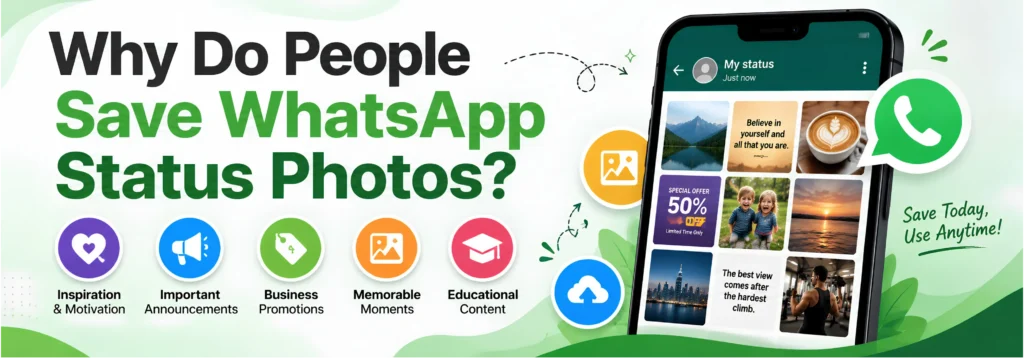
Why Do People Save WhatsApp Status Photos?
There are many reasons why users want to save status photos.
1. Inspirational Quotes
Many people share motivational quotes, success tips, and inspirational messages through WhatsApp Status.
Saving these images allows users to revisit them whenever they need motivation.
2. Business Promotions
Businesses frequently share:
- Product launches
- Discounts
- Special offers
- Announcements
Saving promotional status photos helps customers access information later.
3. Personal Memories
Friends and family often share memorable photos through status updates.
Users may want to keep these memories for future viewing.
4. Educational Content
Teachers, mentors, and professionals frequently post:
- Study tips
- Productivity hacks
- Learning resources
Saving these images helps users build a personal knowledge collection.
Common Problems When Saving WhatsApp Status Photos
Many Android users experience the same frustrations.
Taking Screenshots Creates Clutter
One of the most common methods is taking screenshots.
The problem?
Screenshots often include:
- Status bars
- Notifications
- Unwanted cropping
- Reduced image quality
Over time, galleries become filled with hundreds of random screenshots.
Lost Content
Many users plan to save a status later but forget before it disappears.
Since WhatsApp Status automatically expires after 24 hours, important content can be permanently lost.
Difficult Organization
Even after saving images, organizing them efficiently becomes another challenge.
Users often struggle to find saved status photos weeks or months later.
Methods to Save WhatsApp Status Photos on Android
There are several ways users attempt to save WhatsApp status photos.
Method 1: Screenshot Method
The easiest method is taking a screenshot.
Pros:
- Simple
- No additional tools required
Cons:
- Lower quality
- Extra editing needed
- Creates gallery clutter
- Not ideal for frequent use
Method 2: File Manager Method
Some Android devices temporarily store viewed status media.
Advanced users can access hidden folders using a file manager.
Pros:
- Original image quality
Cons:
- Complicated for beginners
- Folder locations vary by device
- Easy to accidentally delete files
Method 3: Using a Status Management App
Many users prefer dedicated tools designed specifically for status management and organization.
This approach offers a more convenient experience for people who regularly interact with WhatsApp Status content.
Why StatusCraft Is Different
Most users think they only need a Status Saver.
The reality is that saving content is only one part of the process.
The bigger challenge is organizing, managing, and reusing that content effectively.
This is where StatusCraft stands out.
StatusCraft is more than a traditional WhatsApp Status Saver.
It combines multiple productivity and content creation tools into a single application.
StatusCraft Features
WhatsApp Status Saver
Manage and organize status photos and videos efficiently.
Story Maker
Transform ideas into attractive stories for social sharing.
Post Maker
Create professional social media content directly from your device.
Quote Maker
Design inspirational quote graphics quickly and easily.
Link Organizer
Save and organize useful links from across the web.
Bookmark Manager
Keep important resources organized and accessible.
Instead of installing multiple applications, users can manage everything from one platform.
Benefits of Using StatusCraft
Save Time
No need to switch between multiple apps.
Everything is available in one convenient place.
Stay Organized
Manage saved content more effectively instead of filling your gallery with random screenshots.
Create More Content
Turn saved inspiration into:
- Stories
- Social media posts
- Quote graphics
- Marketing content
Improve Productivity
StatusCraft helps users spend less time searching for content and more time creating.
Who Should Use StatusCraft?
StatusCraft is designed for a wide range of users.
Content Creators
Save inspiration and create content faster.
Influencers
Manage ideas and design engaging social media content.
Students
Organize educational resources and useful information.
Entrepreneurs
Save marketing ideas and create promotional content.
Small Businesses
Manage content, promotions, and social media workflows more efficiently.
Everyday Users
Keep favorite status photos organized and accessible.
Why StatusCraft Is Better Than Using Multiple Apps
Many users install separate apps for:
- Status Saving
- Story Creation
- Quote Design
- Link Management
- Bookmark Organization
This often creates unnecessary complexity.
With StatusCraft, users get:
- Status Saver
- Story Maker
- Post Maker
- Quote Maker
- Link Organizer
- Bookmark Manager
All inside a single application.
This improves efficiency while reducing device clutter.

Best Practices for Managing Saved Status Photos
Saving content is only the first step.
Follow these tips for better organization:
Create Categories
Separate content into categories such as:
- Motivation
- Business
- Education
- Personal
- Marketing
Remove Duplicates
Regularly clean unused images.
Save Valuable Content Only
Avoid saving everything.
Focus on content you are likely to use again.
Organize Resources
Use productivity tools that allow you to keep content structured and searchable.
The Future of Content Organization
As social media usage continues to grow, users are consuming more content than ever before.
The challenge is no longer finding information.
The challenge is organizing it.
Modern users need tools that help them:
- Save content
- Create content
- Organize content
- Access content quickly
StatusCraft was built with exactly this goal in mind.
Instead of being just another utility app, it helps users manage their entire content workflow from one place.
Frequently Asked Questions
How do I save WhatsApp Status photos on Android?
Users commonly use screenshots, file managers, or dedicated status management tools depending on their preferences and workflow.
Can I save WhatsApp Status photos without taking screenshots?
Yes. Many users prefer dedicated status management solutions because they provide a cleaner and more organized experience.
Why do people use Status Saver apps?
They help users manage and organize important status content more efficiently.
Is StatusCraft only a Status Saver app?
No. StatusCraft also includes Story Maker, Post Maker, Quote Maker, Link Organizer, and Bookmark Manager features.
Who can benefit from StatusCraft?
Content creators, students, influencers, entrepreneurs, businesses, and everyday WhatsApp users.
Why should I choose StatusCraft?
StatusCraft combines multiple content creation and organization tools into a single platform, helping users save time, stay organized, and improve productivity.
Final Thoughts
WhatsApp Status photos often contain valuable information, memorable moments, business updates, educational resources, and creative inspiration.
While there are several methods available for saving status photos on Android, many users eventually discover that saving content is only part of the challenge.
Organizing, managing, and reusing that content effectively is equally important.
Whether you’re a content creator, student, entrepreneur, business owner, or everyday WhatsApp user, StatusCraft helps you save, create, and organize content more efficiently.
Download StatusCraft Now
Save smarter, stay organized, and simplify your content workflow with one powerful app.